
PHP is scripting language which is well suited for web development. It is popular Language for the web site and web application development. Facebook and other many company use PHP as programming language for their project development.
PHP use HTML, CSS and JavaScript for the Front End Development where as MySQL or SQL for the database storage. PHP is also the language which is easy to learn for web developer.
To learn the basic PHP, you need knowledge on some topics. They are:
- HTML
- CSS
- JavaScript
- MySQL
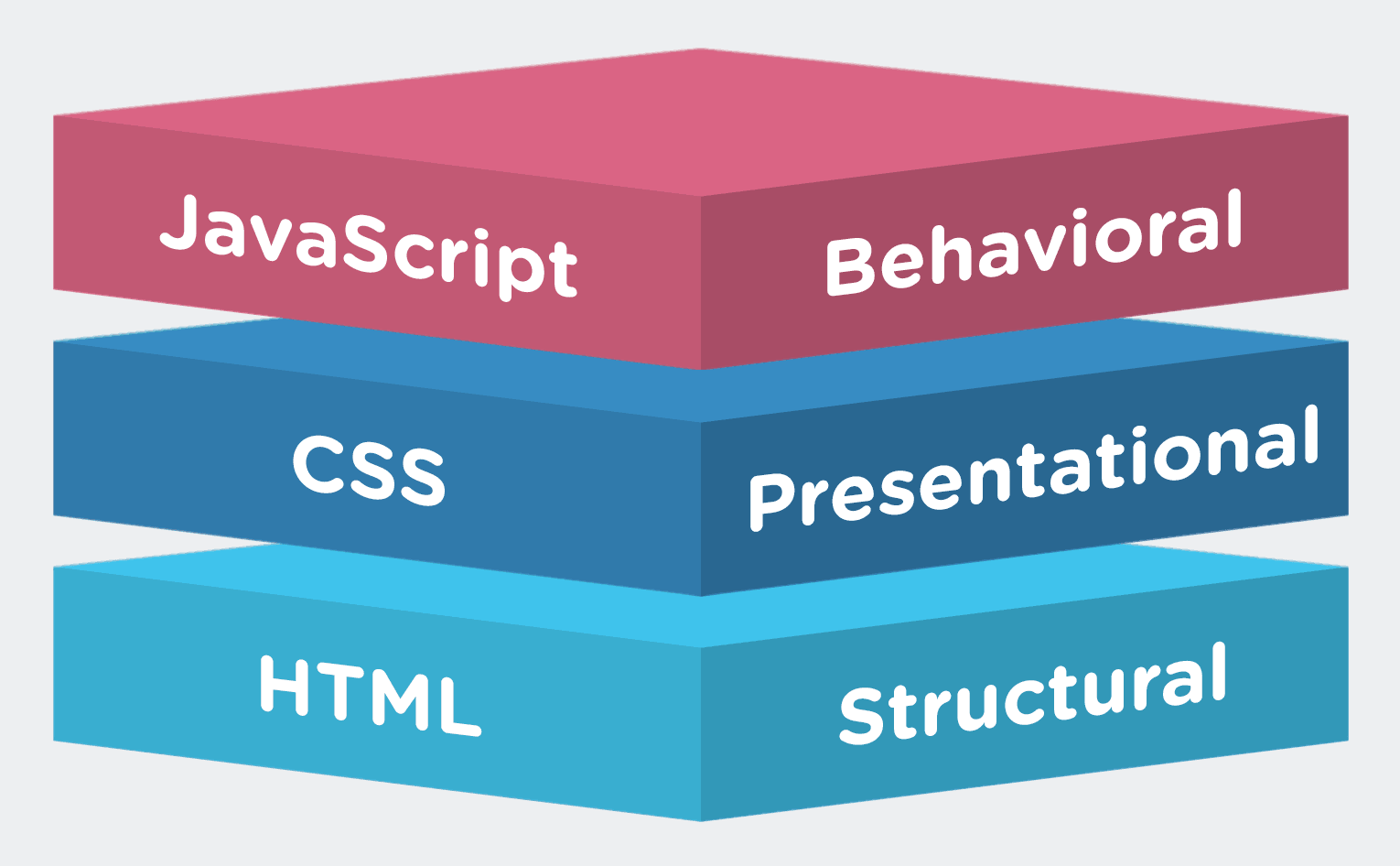
If you have knowledge on the above topics, then you are good to learn PHP.
In Basic PHP, you will have to learn most common PHP syntax (Basically PHP word). They are:
1) Starting and Ending Tag:
PHP begins with these tags i.e. (<?php) This is starting tags and (?>) This is closing tags.
Example: <?php //write some code here// ?>
Some Tips:
Before jumping to the next syntax, I have to say that PHP should always be in PHP file like (Home.php). If your extension is not PHP, then your PHP code will not run.
2) Echo Tag :
These is also most common tags which helps to display on the browser.
Example: <?php echo "This is echo tag example"; ?>
In echo tags, there is echo word with open and close quotation mark and semicolon at the end. In echo tags, open and close quotation mark with semicolon plays important role which many basic developer still get errors in the project.
3) Variable Tag:
Variable tags are represent in ($) dollar sign with semicolon at the end. If you see any dollar sign with word in PHP, that's variable. Variable tags store temporary data. For example;
<?php
$name = "John"; // John name is stored on name variable
echo $name; // echo tag display the name John
?>
4) Data Variable Type:
In PHP, Data has many variable types:
String: String variable type stores only in data combinatio of number and string. For example:
<?php $description ="John is 24 years old." // this varible type is string ?>
<?php $phone = 0199382; ?>
Float: Float variable are the decimal numeric value data type. For example,
<?php $total = 34539.33; ?>
Boolean: Boolean present only two value - True or False. For example,
<?php $condition = True; $condition=False; ?>
Array: Array tag store many data. For example,
<?php $mobile = array("IPhone 6S", "Samsung Galaxy S7", "Nokia Lumia" ); ?>
<?php class mobile {
function mobile(){
$this->brand = "IPhone 6S";
}}
$select = new mobile(); // Create object variable?>
<?php $money = null; ?>
4) Operators
In PHP, there are many operators to perform arithmetical operation like addition, division and more.

6) Loop Statement
Tips: Loop plays very important role in the web application development. So, learn loop very seriously.
Loop Statement consists of :
While Loop: This loop perform action until while condition is complete or true. This loop is mostly used for output data from website database. For example:
<?php
$age="20";
while($age<=20){
echo "You are still $age";
}
?>
Do While Loop: This loop execute first do action then check the condition. If condition is true, do code is execute else exit the action. For example,
<?php
$x = 1;
do {
echo "The number is: $x <br>";
$x++; // this is incremental operator i.e $x+1;
} while ($x <= 5);
?>
For Loop: This loop contains three parameter condition which are check to perform code.
Parameters:
In PHP, there are many operators to perform arithmetical operation like addition, division and more.

5) Conditional Statement
In PHP, Conditional Statements are mostly used for Condition Check and Return. There are many conditional statements such as:
If statement: It perform actions only if condition are matched. For example:
<?php if($person=="Male") { echo "Greeting. Sir "; }
if($person=="Female") { echo "Greeting. Madam "; } ?>
If else statement: It perform with two conditions if or else. If and If else statement are mostly used in real life project through out as web developer and programmer. here, check example for explanation.
<?php if($answer=="Correct"){ echo "Good. You got Point"; }
else { echo "Sorry. Please try again"; } ?>
If elseif else statement: It performs in more than two condition which is less used in real project.
<?php if($time<10) { echo "Its Morning"; }
else if($time>10 and $time < 5) { echo "Its Afternoon"; }
else { echo "Its Night"; } ?>
Switch Statement: It is used to perform different action based on switch tag with different condition.
<?php $fav_mobile = "Samsung Galaxy S7";
Switch ($fav_mobile){
case "IPhone":
case "IPhone":
echo "Your favorite phone is IPhone 6";
break;
case "Samsung":
echo "Your favorite phone is Samsung Galaxy S7";
break;
case "Nokia":
echo "Your favorite phone is Nokia";
break;
default:
echo "Your favorite phone is neither IPhone, Samsung nor Nokia";
}
?>
6) Loop Statement
Tips: Loop plays very important role in the web application development. So, learn loop very seriously.
Loop Statement consists of :
While Loop: This loop perform action until while condition is complete or true. This loop is mostly used for output data from website database. For example:
<?php
$age="20";
while($age<=20){
echo "You are still $age";
}
?>
Do While Loop: This loop execute first do action then check the condition. If condition is true, do code is execute else exit the action. For example,
<?php
$x = 1;
do {
echo "The number is: $x <br>";
$x++; // this is incremental operator i.e $x+1;
} while ($x <= 5);
?>
For Loop: This loop contains three parameter condition which are check to perform code.
Parameters:
- init counter: Initialize the loop counter value
- test counter: Evaluated for each loop iteration. If it evaluates to TRUE, the loop continues. If it evaluates to FALSE, the loop ends.
- increment counter: Increases the loop counter value
<?php
for ($x = 0; $x <= 10; $x++) {
echo "The number is: $x <br>";
}
?>
Foreach Loop: This loop is for array variables, which perform action until array value is finished. For example:
<?php
$colors = array("red", "green", "blue", "yellow");
foreach ($colors as $value) {
echo "$value <br>";
}
?>
Some recommendation PHP Tutorials Website are list below:
$colors = array("red", "green", "blue", "yellow");
foreach ($colors as $value) {
echo "$value <br>";
}
?>
Some recommendation PHP Tutorials Website are list below:

No comments:
Post a Comment